
In order to use the FreeUP Mobile network services, an activated FreeUP Mobile SIM card is required. With FreeUP Mobile, you can activate a new number or port an existing number over from another provider at no additional charge.
You can bring your own phone, or visit our 'PHONES' page, where we list some of the top phones on the market.
Bring Your Own Phone Note- Some carriers do lock phones, so you may want to double check with them to see if your phone is unlocked, especially if you are transferring (porting) a number over. If the phone is locked, the phone will only allow that provider’s SIMs to work, so you would lose service when the port was complete, and you would have to contact the current provider to have it unlocked, which can take some time, and in some cases, they may say no to unlocking it, if they say the phone is not yet eligible for unlock.
Below is an overview of the FreeUP Mobile ordering and activation process:
1. Purchase SIM Card online at www.FreeupMobile.com or from Amazon.com.
2. Activate your SIM.
Once you receive your SIM card, there are two options to activate:
· ONLINE- Login or Register your web account at https://freeupmobile.com/account/login.
· Click on “ACTIVATE SIM CARD”, or ‘Activate’ on the Top Menu. At this point you can either choose to keep your old number or obtain a new one.
3. Program your phone with the proper APN settings (available on https://freeupmobile.com/support/data-setup )
4. Download Talk app.
· https://www.freeupmobile.com/freeup-talk.
5. Log into FreeUP Talk app.
· FreeUp Talk app 4 digit code will be texted to you when you first login.
Activation Process Details:
If you have a phone you'd like to activate with us, as long as the device shows compatible with the FreeUP Mobile network and isn't locked to another provider, you should not have any trouble using the services.
> To verify device's compatibility, click here -> https://www.freeupmobile.com/check-phone.
> Or, looking for a new phone, shop here -> https://www.freeupmobile.com/phones.
Once you receive your FreeUP SIM card, create an account online, then you can log into your FreeUP web account, and go through the activation process: https://freeupmobile.com/activation/sim-check.
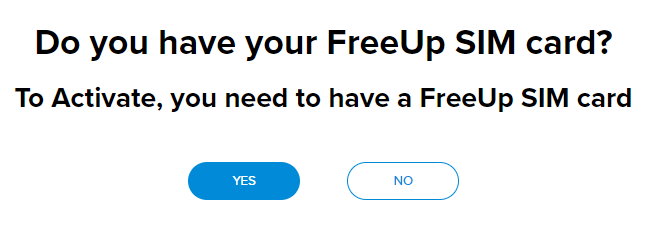
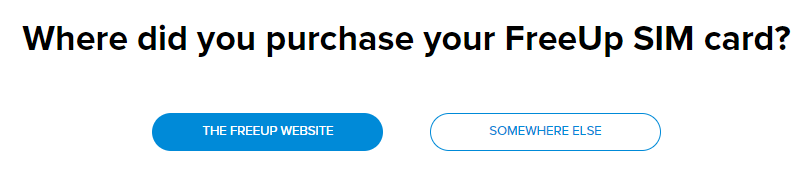
During the activation process, you will be asked if you have your SIM, and then where you received your SIM from.
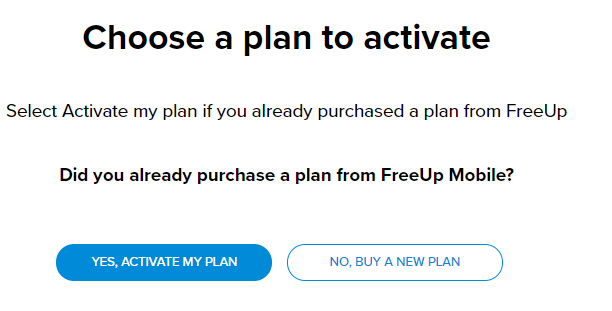
If you already purchased a plan from the website, click on 'YES ACTIVATE MY PLAN'
If you still need to purchase a plan, click on 'NO BUY A NEW PLAN'
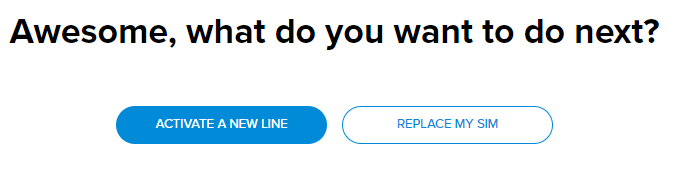
During the activation process, there will be a place to choose 'ACTIVATE WITH A NEW NUMBER', or 'KEEP YOUR CURRENT NUMBER'.
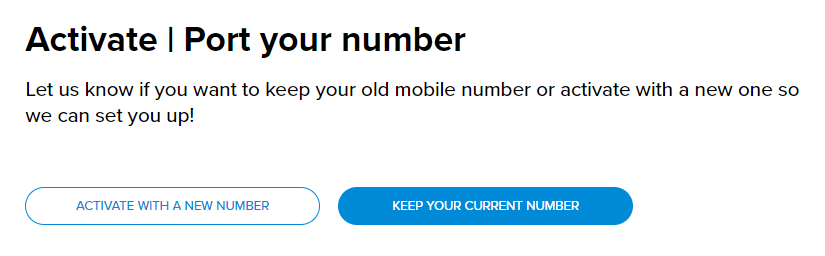
If you choose to 'ACTIVATE WITH A NEW NUMBER', the area code and number given is based on the zip code entered when activating the FreeUP SIM card.
If you choose to transfer, or port your number over from another carrier, just select the 'KEEP YOUR CURRENT NUMBER' choice.
The system will then display fields where you can input your current provider account number, and account PIN/Password in the form fields.
This allows us to submit a port IN request automatically to your current provider, so they can validate the information and release the number to us.
Ports can take as little as 20 minutes up to 24 hours to complete, depending on when the old service provider responds to the request.
Throughout the porting process you will receive emails from us, to the email address provided on the request, letting you know the status.
After the account has been activated, power your device off, wait 10 seconds, power back on, verify the FreeUP Mobile SIM is correct and properly placed in your device, and proceed with using the FreeUP Mobile network services.
Data Set Up:
After the account is activated, to use data services, please be sure to program your phone with the proper APN settings (available on https://freeupmobile.com/support/data-setup).
FreeUP Mobile Apps:
Then you can proceed to download Talk app.
· https://www.freeupmobile.com/freeup-talk.
> Log into the FreeUP Talk app.
· FreeUp Talk app 4 digit code will be texted to you when you first login.
For additional help you may also call us at (888) 316-0686 to speak directly with a Customer Care Representative. FreeUP Mobile customers may dial 611 from their FreeUP Mobile device, and both calls are free.
Thank you again for contacting us,
Comments
0 comments
Article is closed for comments.